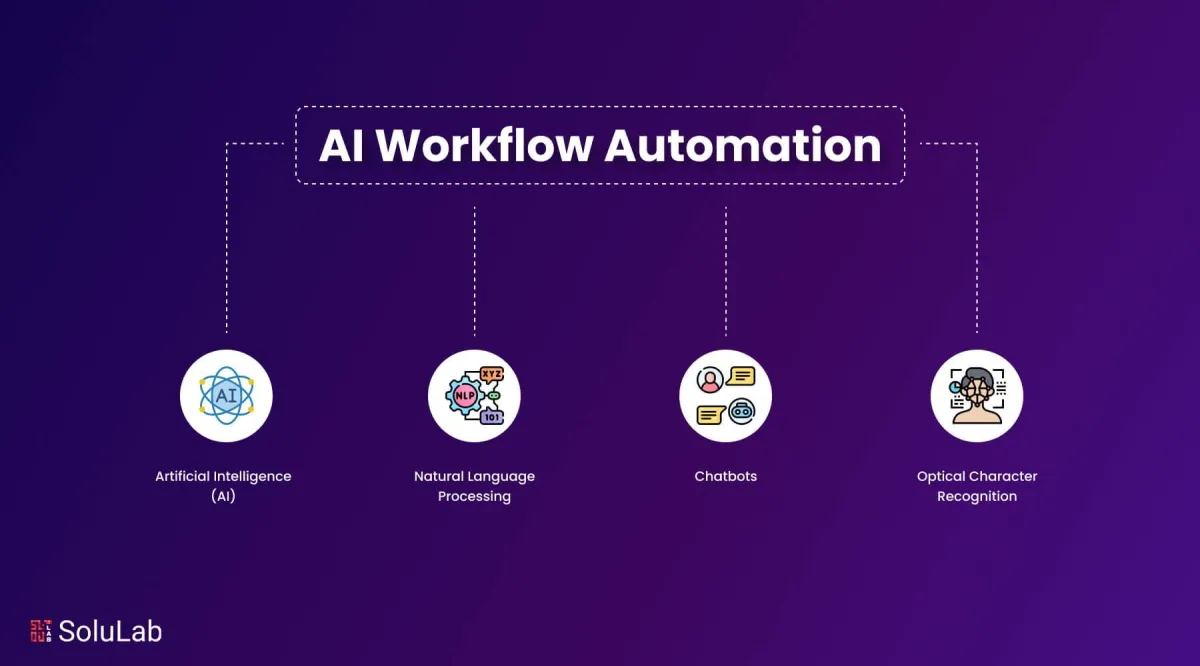
Streamline Operations with AI to Reduce Manual Tasks
Introduction
Running a business today often feels like juggling too many balls—emails, invoices, reports, and endless manual tasks. What if you could hand off most of that juggling to an assistant who never sleeps, complains, and keeps learning on the job? That’s what AI-powered automation offers.
From reducing human error to accelerating workflows, AI automation is becoming the game-changer for companies of all sizes. In this blog, we’ll explore how businesses can streamline operations with AI, step-by-step strategies for implementation, and real-world case studies that prove its impact.
Section 1: Why Streamline Operations with AI?
AI isn’t just about futuristic robots—it’s a practical tool that delivers measurable improvements:
Boost efficiency: Automates repetitive tasks like data entry, invoicing, and scheduling.
Reduce errors: Machine learning models identify anomalies faster than manual checks.
Cut costs: AI-driven optimization reduces waste and improves resource allocation.
Scale operations: As demand grows, AI adapts without requiring a proportional increase in human resources.
Read more: Fujifilm Business Innovation | IBM Think
Section 2: Key Areas Where AI Delivers Impact
Finance & Accounting
Customer Support
Chatbots and NLP-based assistants handle FAQs 24/7
AI sentiment analysis to prioritize escalations
Ticket routing with predictive analytics
Source: IBM Think
Supply Chain & Logistics
Demand forecasting with predictive AI
Inventory optimization using real-time analytics
Route optimization for delivery efficiency
Source: Fujifilm Business Innovation
Section 3: Real-World Examples
SMEs adopting RPA cut invoice processing time from 10 hours to 1 hour per week.
Retail companies reduced stockouts by 30% with AI demand forecasting.
Customer service teams improved response time by 40% with AI-driven chatbots.
Learn more: AI automation case studies, success stories of AI in SMEs, and real-world AI applications (link to be inserted).
Section 4: Step-by-Step Guide to Implementing AI Solutions
Audit processes – Spot time-sinks (>10 hours/week).
Sources: Pecan.AI | IBM ThinkDefine clear objectives – e.g., reduce task time by 50%, cut errors by 25%.
Source: IBM ThinkChoose the right tools – Evaluate APIs, scalability, and vendor support.
Sources: Datafloq | Pecan.AIRun pilot projects – Start small, measure results, iterate.
Source: Pecan.AIScale up – Train users, integrate with core systems, and manage change effectively.
Sources: Datafloq | Pecan.AI
📌 Extra reading:
Implementing AI in business, steps to automate business processes, and AI integration strategies (link to be inserted).
Cost of AI automation, ROI of AI for small businesses, and affordable AI solutions (link to be inserted).
Section 5: Overcoming Common Challenges
Data Quality & Governance – Set standards, cleanse data, track audit logs.
Source: IBM ThinkWorkforce Concerns – Communicate early, provide upskilling, redefine roles.
Source: IBM ThinkLegacy Integration – Use middleware/APIs and adopt phased rollouts.
Sources: Pecan.AI | IBM ThinkCosts & ROI – Track total cost of ownership, communicate wins, and build strong business cases.
Sources: Datafloq | IBM Think
Explore more: AI automation case studies, success stories of AI in SMEs, and real-world AI applications (link to be inserted).
Section 6: Measuring Success and Continuous Improvement
Establish KPIs: hours saved, cost per process, error reduction, throughput gains.
Source: IBM ThinkBuild dashboards: review performance with cross-functional teams.
Continuous improvement: monitor model drift, retrain every 3–6 months.
Sources: Datafloq | IBM Think
More insights: Maximizing efficiency with AI tools for project management, automated task scheduling, and AI in workflow optimization (link to be inserted).
Conclusion & Next Steps
Streamlining operations with AI is like slicing a giant pizza into neat pieces—everyone gets their share without the mess. AI boosts efficiency, cuts costs, and empowers better decision-making.
Next Step:
Start small: automate one high-impact workflow.
Download our free AI Automation Readiness Checklist.
Or consult with an AI advisor for a tailored implementation plan.
For SMEs ready to take the leap, check out: AI Automation for Small Business (link to be inserted).
FAQs - Each blog includes an FAQ section at the end. If it doesn’t appear right away, please scroll down or use the navigation panel (View > Show Outline) to locate it.
Q1: What is streamlining operations with AI?
Using machine learning, RPA, and NLP to automate workflows, reduce errors, and optimize processes for continuous improvement.
Q2: How does AI differ from traditional automation?
Traditional automation follows fixed rules; AI adapts to data, learns patterns, and handles unstructured inputs.
Q3: Which processes benefit most from AI?
Data entry, invoicing, reporting, and customer support tasks deliver the fastest ROI. More examples: are AI automation case studies, success stories of AI in SMEs, and real-world AI applications (link to be inserted).
Q4: How do you measure success in AI projects?
Track KPIs like hours saved, error reduction, throughput increase, and process cost improvements.
Q5: What are the main challenges?
Data quality, employee resistance, legacy systems, and proving ROI. Guidance: Implementing AI in business, steps to automate business processes, and AI integration strategies (link to be inserted).
Q6: How do I start an AI pilot?
Audit processes, define metrics, start with one workflow, run tests, refine, and scale. Tips: AI tools for small businesses, best AI software for SMEs, AI solutions for small enterprises (link to be inserted).
Q7: Can small businesses benefit?
Yes—cloud AI and low-code RPA platforms allow SMEs to automate with minimal costs.
Q8: How often should AI models be retrained?
Every 3–6 months, or when accuracy drifts.


